Smart lighting · Montreal South Shore
The pixel strip
that follows your day.
A pixel LED strip, a WiFi controller and an app. Full color, warm and cool whites, moving effects, and circadian lighting that adjusts your home all by itself.
The pixel strip
Every segment,
its own color.
An ordinary strip shows one color at a time, along its whole length. A pixel strip is different: a tiny chip every few centimetres drives its own segment of the strip. Each segment, its pixel, has its own color and its own white. That is what makes gradients, waves and effects that run from end to end possible.
Ordinary strip: one color for the whole strip
SKYLED pixel strip: every segment independent
Try an effect
Gradients, not flat color
Several colors at once on the same strip: a sunset, an aurora, a flag.
Motion
Waves, comets, breathing, fireplace: light moves along the strip.
Two true whites
Every pixel has a warm white and a cool white on top of RGB: 5 channels.
Cut to size
A cut point every 71.4 mm: the strip fits the room, each piece keeps its pixels.
The SKYLED app
One app.
For all your lighting.
No more one remote for the living room and another for the kitchen. Every SKYLED controller in the house, every room, every strip, pixel or not: one app runs them all. The same on your phone, tablet, computer and wall tablet.


Universal
One screen for every controller and every zone in the house. Not one app per light.
On every screen
Android or iPhone, iPad, tablet, Windows or Mac computer. Same app, same settings.
Instant at home
Commands go straight over your home WiFi: no hub, no mandatory cloud.
Remote control
Turn lights on or off or change scenes from anywhere. Coming soon.
Wall tablet
A full-screen mode for a wall-mounted station: clock, scenes and automatic return.
Always up to date
New scenes, moods and features added by update, with a "What's new" screen.
Guided setup
The app finds your controllers, blinks them so you can tell them apart and sorts them by room.
Diagnostics
The app warns you when a controller has weak WiFi or is offline.
Anywhere
From home,
and soon from anywhere.
No hub to buy, no bridge to plug in, no router settings. One thing to install, not eight apps: the SKYLED app, the same on every screen.
You activate your lights
At home, the app finds the controllers on your WiFi, blinks them so you can tell them apart, and you sort them by room. You do it yourself, in a few minutes.
Home stays local
Colors, scenes and circadian lighting run straight over your home WiFi: instant response, and it keeps going even with phone and tablet off.
The wall tablet links it all
Coming soon: the wall tablet, or a phone that stays home, calls the SKYLED server from the inside: no port to open, nothing to set up with your internet provider.
Away from home
Your phone goes through the SKYLED server to turn lights on or off or change scenes from anywhere. Coming soon.
Security (remote access, coming soon)
- One access code per home; the server only keeps encrypted fingerprints, never the codes themselves.
- Repeated attempts automatically block the address involved.
- Each home only sees its own lights. A home can be suspended in one click.
- Encrypted connection (HTTPS) end to end between your phone and the server.
Three products
One system.
Nothing else to buy.

By the numbers
The data sheet,
at a glance.
The app
Everything at your fingertips.
On phone, tablet or computer.
Circadian
White light follows the clock: warm at sunrise, bright at noon, soft in the evening. All by itself, even with your phone off.
Pixel
Every segment of the strip has its own color: gradients, waves, effects that run from end to end.
Scenes
Dinner, movie, reading, night light: one tap and the whole room changes.
Eight zones
Kitchen, living room, bedroom, outdoors: each zone on its own, or linked together.
Music
The controller's microphone makes the light dance to the room.
Power outage
When power returns, the light comes back as it was. No flash, no surprise.
Circadian lighting
Light that lives
with your day.
In the morning, white light brightens gently to help you wake up. At noon it is cool and bright, like daylight. In the evening it turns warm and dim again to get ready for sleep.
Circadian mode runs inside the controller itself: it keeps going even with your phone off. It adjusts color temperature and brightness every 30 minutes, with transitions so slow you never see them.
It never turns the light on or off: you decide. Picking a scene by hand pauses it; one tap brings it back.
| Time | Moment | White | Brightness |
|---|---|---|---|
| 00:00 | Night | 100 % warm · 0 % cool | 5 % |
| 05:30 | Night | 100 % warm · 0 % cool | 5 % |
| 06:30 | Wake-up | 69 % warm · 31 % cool | 27 % |
| 07:30 | Morning | 33 % warm · 67 % cool | 71 % |
| 09:00 | Morning | 10 % warm · 90 % cool | 92 % |
| 12:00 | Noon | 0 % warm · 100 % cool | 100 % |
| 15:00 | Afternoon | 12 % warm · 88 % cool | 94 % |
| 17:00 | Late afternoon | 35 % warm · 65 % cool | 84 % |
| 19:00 | Evening | 67 % warm · 33 % cool | 67 % |
| 20:30 | Unwind | 88 % warm · 12 % cool | 43 % |
| 22:00 | Bedtime | 100 % warm · 0 % cool | 20 % |
| 23:00 | Night | 100 % warm · 0 % cool | 5 % |
Why SKYLED
Not your usual
color strip.
| Ordinary RGB strip | SKYLED | |
|---|---|---|
| White | white made by mixing R, G and B (bluish) | two true whites, warm and cool, 3000K to 6500K |
| Visible dots | spaced LEDs you can see | 840 COB LEDs/m, continuous line |
| Color per segment | one color across the whole strip | every segment has its own color (pixel) |
| Effects | a few modes built into the remote | 160+ effects, adjustable speed and intensity |
| Circadian | no | yes, automatic, even with your phone off |
| Control | remote or maker's app, often cloud-based | SKYLED app, local, no hub |
| After an outage | often comes back white or off | comes back exactly as it was |
| Color rendering | CRI often below 80 | CRI > 90 |
The app in detail
Everything it can do.
Scenes
4 scenes of your own, renamable: "save current lighting" in one tap.
Colors
Color wheel and 12 ready-to-tap swatches.
Whites
Warm to cool, in Kelvin, on both white channels of the strip.
Modes
16 modes made for the home: chase, wave, breathe, fire, aurora, ocean, meteor…
Effects
160+ effects in 9 families, including 2 music families.
Moods
20 ready-made moods: Go Habs Go, Christmas, Halloween, movie night, fireplace, spa…
Schedules
Turn on, off or change scenes at a set time, or at sunrise and sunset, by day of the week.
Zones
Up to 8 zones; one zone can group several controllers, and zones can be linked.
Music
The controller's microphone makes the light react to volume or frequencies.
Guided setup
The app finds the controllers on your network, blinks them so you can tell them apart, and names them by room.
Wall tablet
A full-screen mode for a wall-mounted tablet: clock, scenes, automatic return.
Bilingual
French and English, your choice.
The 20 moods
Scenes
One home.
A thousand moods.


Where to install it
Indoors, and soon outdoors.
Ceilings and coves
Indirect light that changes color and white throughout the day.
Kitchens
Under cabinets and the island: crisp white for cooking, mood light for guests.
Bedrooms
Gentle wake-up, night light, nothing glaring.
Stairs
One step at a time, or an effect that follows your stride.
Facades and soffits
Coming soon, with the IP66 version: holiday colors, welcome white, effects for big nights.
Backyards and pools
Coming soon, with the IP66 version: a mood that follows the evening.
Coming next
An app that keeps growing.
Without changing your lights.
The controller runs open firmware, updated over WiFi: new features arrive in the lights you already own.
Remote control
Your home, from anywhere, through the SKYLED server.
Voice control
Google and Alexa: "turn on the living room", "movie mode".
Room-to-room effects
A wave that starts in the kitchen and flows into the living room, from one zone to the next.
Sun-synced circadian
A curve that follows the real sunrise and sunset in your city, season after season.
Installation
Three steps.
One evening.
Lay the strip
Cut it every 71.4 mm and stick it in a 12 mm channel or straight onto the surface.
Connect
Power supply, controller, strip. Three connections, then the app takes care of the rest.
Open the app
Guided setup finds the controller, gives it your WiFi, and you're done.
Wiring
The complete chain.
Calculator
How much do I need?
Questions
Good to know.
Do I need a hub or a bridge?
No. The controller joins your home WiFi (2.4 GHz) once, then the app talks to it directly.
Does the strip fit an aluminum channel?
Yes. The PCB is 10 mm wide, so it fits 12 mm channels.
Which power supply should I choose?
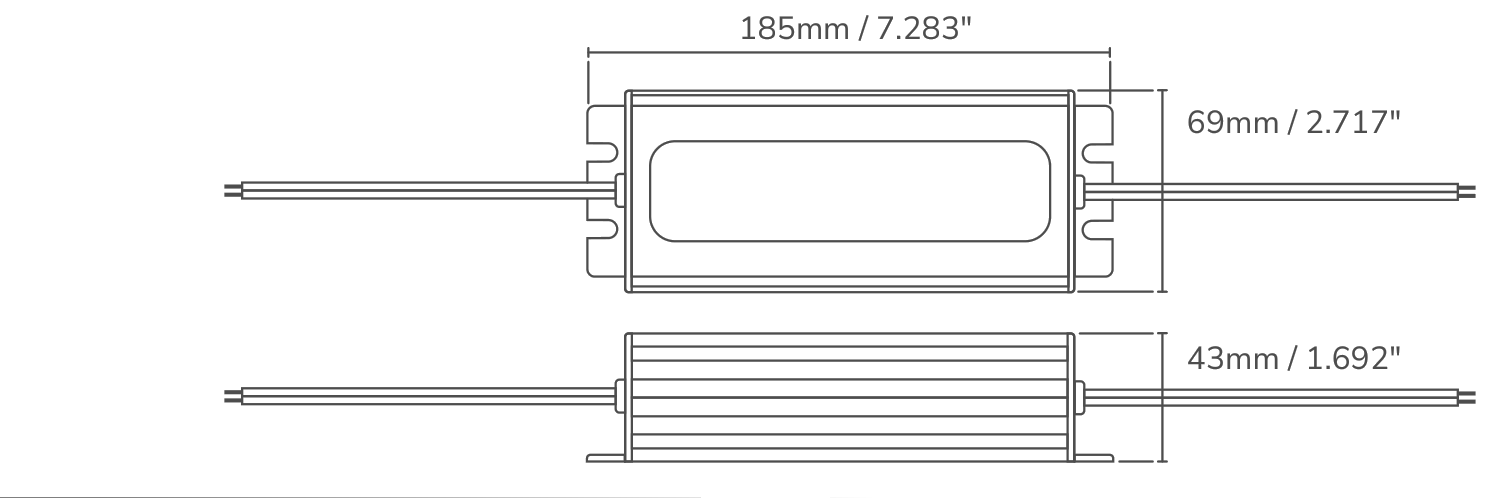
A 24V non-dimmable power supply, loaded to 80% at most. The calculator above gives the wattage for your length.
Can I install it outdoors?
Soon: an IP66 outdoor version is on the way. The IP20 version available today is made for indoor, dry locations.
Do you ship everywhere?
Within Canada only.
How many apps do I need?
Just one: the SKYLED app, the same on phone, tablet, computer and wall tablet, for every controller in the house.
Does it work without internet?
Yes, at home everything runs over local WiFi. Circadian mode only needs the time, which the controller gets from the internet.
What happens after a power outage?
When power returns, the light comes back exactly as it was: same scene, same color, no flash.
Can I control my regular strips?
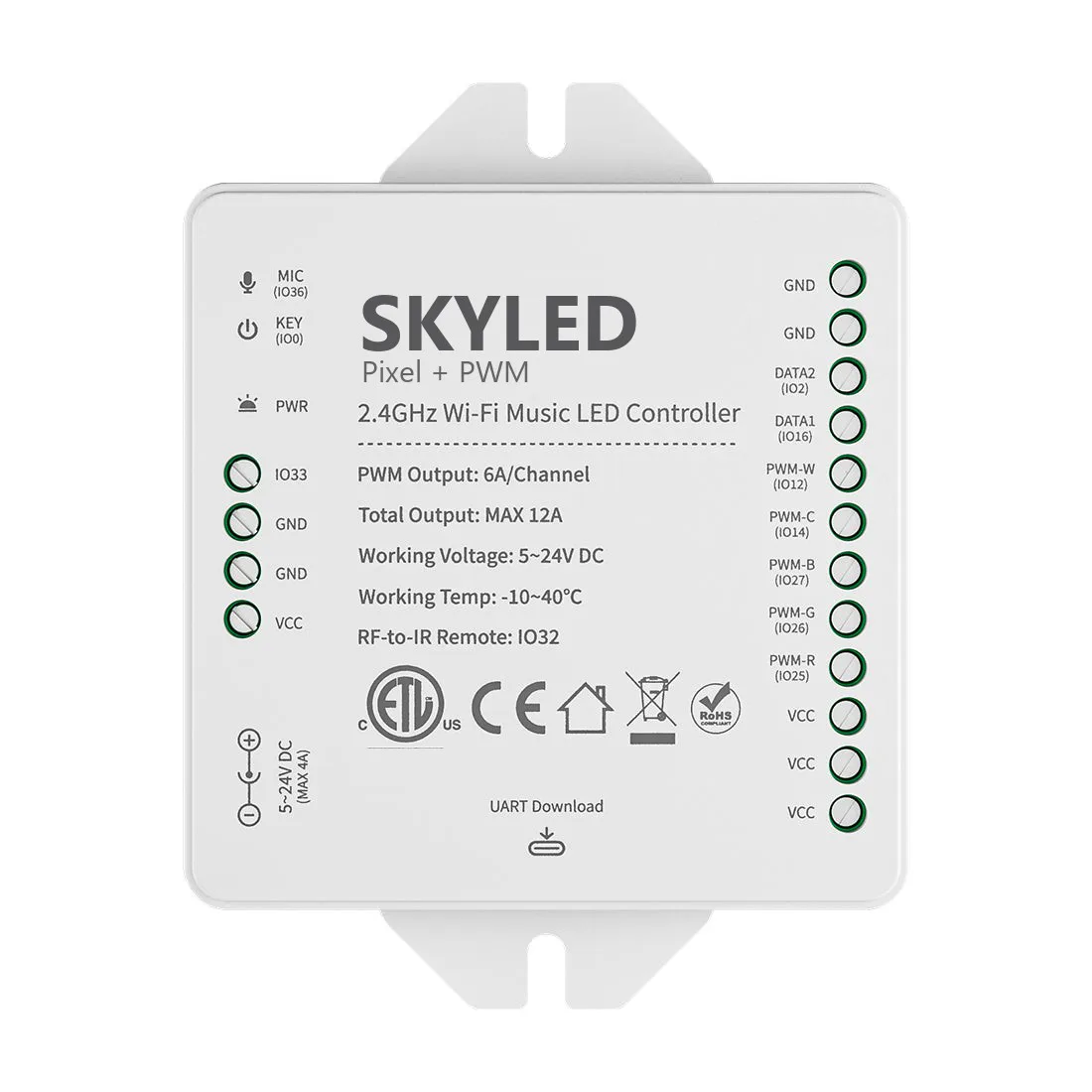
Yes, with the Pixel + PWM controller model: it also drives regular RGBCCT, RGBW, RGB, CCT and white strips.
Can I control my lights remotely?
Coming soon: the wall tablet or a phone that stays home links the app to the SKYLED server, with no router setup.
Ready to light up?
The strip, the controller and the power supply: that's all you need.
See the products